
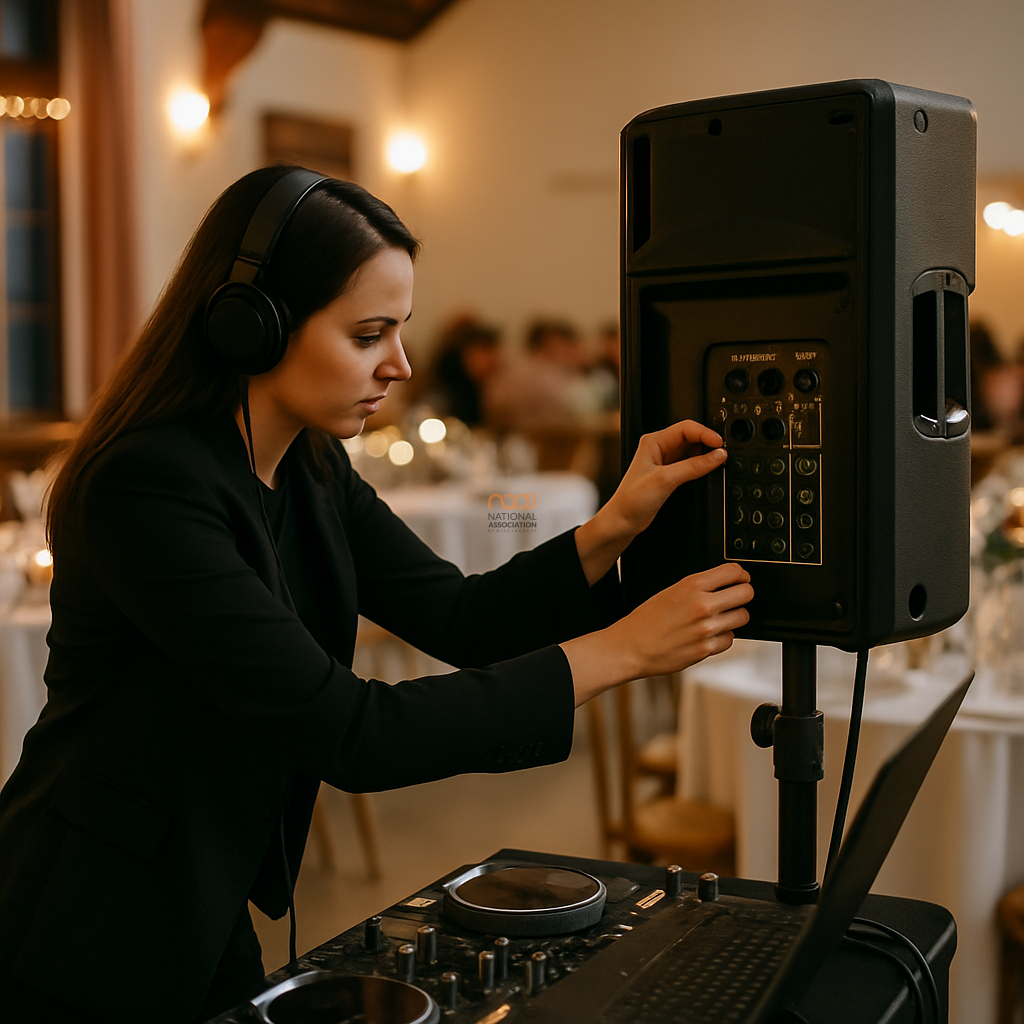
When you need to check powered speakers for thermal stress, the key is to look for warning signs early, before performance drops or the speaker shuts down. Long-form DJ work in the UK often means extended set times, warm venues, crowded dancefloors and limited airflow around gear. That combination can put real strain on active loudspeakers, particularly at weddings, corporate events and all-day bookings.
Thermal stress is not always dramatic. Sometimes it shows itself as a gradual reduction in output, protection circuitry engaging, or a cabinet that feels unusually hot to the touch. The good news is that most problems can be reduced with sensible setup, monitoring and event planning.
Why powered speakers heat up
Powered speakers generate heat because amplifiers, power supplies and DSP processing all work inside the cabinet. The harder the speaker is driven, the more heat it produces. Add a hot summer marquee, a small village hall with poor ventilation, or speakers placed directly against a wall, and the temperature inside the cabinet can rise quickly.
It is also worth remembering that a speaker can overheat even when it does not sound obviously distorted. Thermal load is not just about volume. It is also affected by bass-heavy content, poor gain structure, and running the system too close to its limits for too long.
What to check during the event
1. Feel for excessive cabinet heat
Carefully touch the rear panel or heat-sink area during a break in the set. Warm is normal. Extremely hot is a warning sign. If the cabinet becomes too hot to comfortably keep your hand on for a few seconds, that suggests the speaker is working hard and may need more breathing space, lower output, or a pause to cool.
2. Watch for protection behaviour
Many powered speakers have built-in thermal protection. This may appear as a limiter light staying on more than usual, output dropping, a fan running faster, or the speaker muting briefly and then recovering. If that happens, do not ignore it. It usually means the system is telling you to back off before it escalates.
3. Listen for changes in tone
A speaker under thermal stress may sound thinner, less punchy or less open than earlier in the night. Sometimes the top end softens first, while bass response becomes unstable. If you notice that the sound is changing despite no obvious issue with the source, power or cables, temperature may be part of the problem.
4. Check placement and airflow
Look behind the speakers. Are they pushed into a corner? Wedged against drapes? Sitting close to a wall or inside a cramped booth with no air movement? Powered cabinets need space to dissipate heat. A small adjustment in position can make a big difference, particularly at busy events in places such as Birmingham, Leeds, Liverpool, Nottingham or Leicester where venues can vary widely in layout and ventilation.
5. Monitor your gain structure
If you are constantly running the master output near maximum, the amplifier section will work harder. A cleaner gain structure usually means less stress. This is especially important for mobile DJs balancing microphones, music playback and requests over long sets. If you are unsure about your monitoring setup, the NADJ guide to professional DJ headphones may help when you are checking levels in louder environments.
Practical steps that reduce thermal stress
Start with sensible headroom. Speakers perform better when they are not being asked to run flat out for hours. If the event is likely to be energetic, consider using a system with more capacity than the room strictly needs. That does not mean overdoing it; it means choosing equipment that can deliver the job comfortably.
Use stands or poles where appropriate so the cabinet is not trapped on the floor with restricted airflow. If the design allows, avoid placing powered speakers inside enclosed furniture or behind fabric where heat can build up. In warm conditions, a fan can help with room airflow, but do not block the speaker’s own vents or heatsinks.
Also keep an eye on content. Heavy sub-bass for extended periods is more demanding than a balanced programme. If the venue is small, it may be better to manage low frequencies carefully rather than trying to force the system into more output than it can comfortably provide.
Build thermal checks into your event routine
A practical thermal check does not need to slow the night down. During natural breaks, glance at the status LEDs, feel the cabinet temperature, and listen for any change in output. If you are running a long booking, include these checks in your normal workflow alongside mic levels, booth monitoring and client communication.
For larger mobile setups, it can help to assign one person to keep an eye on system health while another handles the show. That approach is particularly useful for busy weddings and corporate events in London, Manchester, Glasgow, Cardiff, Bristol and across England, Scotland, Wales and Northern Ireland.
When to stop and reassess
If a powered speaker repeatedly enters protection mode, shuts down, or gets uncomfortably hot, stop increasing the volume and reassess the setup. Move the cabinet, reduce demand, improve airflow or swap to a different speaker if you have one available. Continuing to push the system harder is rarely the right answer.
If you are working commercially and want to reduce avoidable equipment issues, good maintenance, sensible testing and a documented approach to your gear all help. NADJ supports professional standards across the DJ industry, and members can also make use of resources and services through the wider NADJ network, including the NADJ Hub and the NADJ directory.
For some DJs, membership and support are also part of a broader professional toolkit. If you are comparing options, the membership tiers explained page is a useful starting point. And if you are looking for work opportunities, the gig listings page may be worth checking.
A simple rule of thumb
If your powered speakers are running hot, sounding strained or showing protection warnings, treat it as an early warning rather than a nuisance. Thermal stress is one of those issues that is easiest to manage when you catch it early. That means checking regularly, leaving space for airflow and avoiding the temptation to run every booking at the edge of the system.
Finally, if your event work also involves public liability cover, licensing questions or other compliance matters, remember that details can change. Check live information before relying on any policy, venue or legal assumption. For example, you can read more about DJ public liability insurance on the NADJ website, and if you are looking at the organisation’s wider commercial services, visit NADJ Media Ltd.
AI transparency note
NADJ uses artificial intelligence as an editorial assistant. Articles produced through this publisher begin with a human-selected idea, source, brief or editorial direction, and AI may be used to research, structure, draft or improve the wording. AI does not set NADJ editorial policy or operate free-range: people acting for NADJ set the instructions and publishing framework, monitor the output and retain editorial responsibility.
Images used by NADJ may include stock photography or AI-generated visuals where appropriate. NADJ is volunteer-led and editorial time is limited; much of our available time is currently absorbed by governance and management, a substantial data audit and membership-system transfer, and planning 12 Tea & Test days across the UK. You can help strengthen member-led content by sending article ideas or completed submissions to hello@nadj.org.uk.




 Avtar Thethy
 Fabio Capozzi
 Alastair Craig
 Dave Mills