
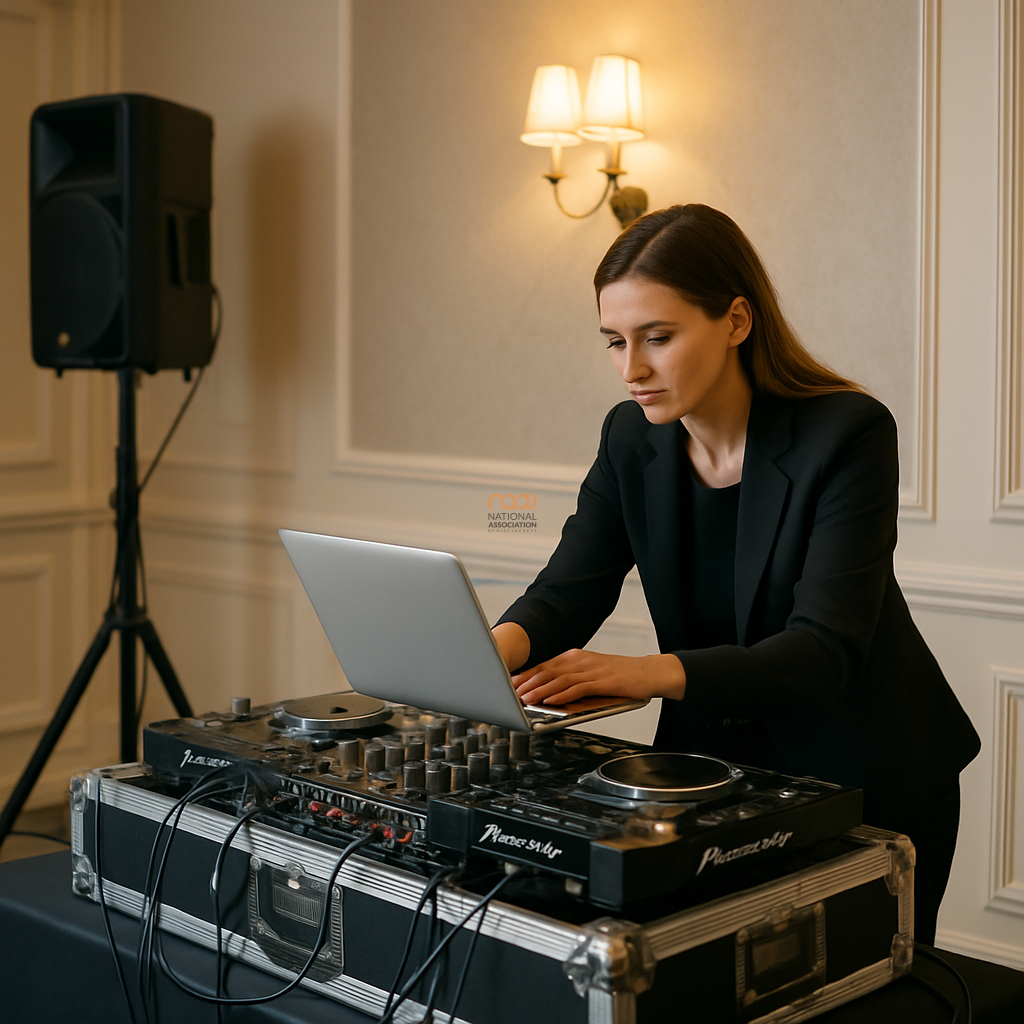
When DJs talk about upgrading, the conversation often turns straight to processors, RAM and benchmark scores. In practice, the best DJ laptop for reliability is usually not the fastest machine on the shelf. It is the one that starts every time, runs your software smoothly, survives transport, and remains compatible with your controller, mixer and music library.
For working DJs across the UK — from weddings in the Midlands to club nights in London, mobile events in Manchester, Birmingham, Leeds, Bristol, Cardiff, Glasgow, Liverpool, Nottingham, Leicester and Coventry — reliability matters far more than vanity specification. If a laptop freezes during a first dance or a packed Friday night set, the numbers on the box will not help.
What reliability really means for DJs
Reliability is not just about avoiding breakdowns. It also means predictable performance under real-world conditions. A dependable DJ laptop should handle your DJ software, music files, controller drivers and streaming tools without complaint. It should also tolerate the way DJs actually work: long hours, quick changeovers, venue Wi-Fi that may or may not behave, and frequent travel in bags, cases and cars.
That is why it helps to think in terms of stability, build quality, connectivity and support. Raw specification is only one part of the picture, and often not the most important one.
Prioritise compatibility before power
Before buying, check that the laptop is fully compatible with your DJ software and hardware. Whether you use rekordbox, Serato DJ, Traktor, VirtualDJ or another platform, the key question is simple: does the manufacturer support this machine properly, and does it run your setup without workarounds?
Compatibility also applies to audio interfaces, controllers and mixers. For example, if you are comparing performance set-ups alongside hardware choices, NADJ’s guide to top DJ mixers for mobile wedding DJs is a useful place to compare how laptops and mixers fit together in a practical mobile rig.
Operating system support matters
On both Windows and macOS, support cycles change over time. A laptop may look excellent on paper, yet become a poor choice if its operating system is nearing the end of meaningful updates or if driver support is limited. Always check current manufacturer guidance and your software vendor’s compatibility pages before buying. That advice is especially important if you depend on the machine for paid work.
Choose sensible specifications, not headline figures
You do not need the most powerful laptop available, but you do need enough headroom for smooth operation. As a general principle, aim for a specification that leaves room for your software to breathe. That usually means a modern processor, sufficient memory, and fast storage. However, exact requirements vary between applications, library size and how heavily you use stems, video, lighting control or other extra tools.
For many DJs, a modest but current machine will outperform an overstretched older premium model. A 16GB system with fast SSD storage may be more dependable in day-to-day use than a higher-end laptop with thermal issues, poor battery health or limited ports. Do not overbuy for features you will never use, but do leave enough performance headroom for future updates.
Build quality and cooling are often overlooked
Many reliability problems begin with heat. Slim consumer laptops can throttle performance under load if their cooling systems are not up to the task. That may not show up during office work, but it can matter during a long set, especially when running DJ software alongside background tasks.
Look for a machine with proven thermal management, sturdy hinges, a well-built chassis and a keyboard that can cope with regular use. Metal construction is not essential, but a laptop that flexes excessively or feels fragile is a warning sign for anyone who travels regularly.
Ports matter too. A reliable DJ laptop should have enough USB connections for your controller, storage and any extra peripherals without relying on a hub for every job. If your workflow depends on HDMI, Ethernet or USB-C charging, make sure those connections are present in the form you actually need.
Storage, backups and music library discipline
Reliability is also about your workflow. A fast laptop will not protect you from a corrupted library or a failed drive. Keep a disciplined backup routine and make sure your music collection is stored sensibly. Use a primary drive with enough free space and a separate backup solution for your most important files.
Where possible, avoid loading your system to the limit. A full drive can slow performance and make troubleshooting harder. Keep your music files organised, your software up to date, and your critical performance folders backed up elsewhere. If you are not already using a routine you trust, now is the time to create one.
Battery life helps, even for plugged-in DJs
Most mobile DJs will run from mains power for the actual performance, but battery life still matters. You may need to prepare playlists, update software, take calls, or work on paperwork away from the venue. A machine with decent battery health gives you more flexibility and provides a little resilience if a power issue occurs during setup.
That said, battery claims should be taken with caution. Manufacturer figures are often measured under ideal conditions and may not reflect real DJ use. Check independent reviews and, if buying used, ask about battery health rather than assuming it is acceptable.
Buying new, buying used and checking support
There is nothing wrong with buying used or refurbished, provided you understand the risks. Check the condition carefully, confirm the model’s support status, and test every port before committing. For a used machine, battery condition, storage health and signs of physical wear deserve close attention.
If you buy new, keep the receipt, register the warranty if applicable, and avoid filling the system with unnecessary software. A clean laptop is often a more reliable laptop. For DJs who value business support as well as equipment advice, the NADJ Hub is a useful starting point for practical industry resources.
Think about the rest of your business too
Your laptop is part of a wider professional setup, not a standalone purchase. If you are comparing the wider kit needed for gigs, the NADJ directory can help you find related suppliers and services, while gig listings may also be useful for keeping an eye on the live market and event opportunities.
It is also sensible to review your business arrangements alongside your gear choices. For example, if you need to check cover expectations, read NADJ’s guidance on DJ public liability insurance and cover requirements. And if you are considering membership support, take a look at membership tiers explained to see which level suits your working needs.
The NADJ view: keep it practical
At NADJ, our view is straightforward: choose the laptop that supports consistent work, not the one that merely looks impressive on a spec sheet. For most DJs in England, Scotland, Wales and Northern Ireland, that means a dependable machine from a reputable manufacturer, with current software support, sensible ports, enough memory, and a build that can handle real-world use.
Raw power has its place, but dependability pays the bills. If your laptop is calm, compatible and easy to trust, it becomes one less thing to worry about — and that lets you focus on the job in front of you.
For broader industry information, services and updates, visit NADJ.
AI transparency note
NADJ uses artificial intelligence as an editorial assistant. Articles produced through this publisher begin with a human-selected idea, source, brief or editorial direction, and AI may be used to research, structure, draft or improve the wording. AI does not set NADJ editorial policy or operate free-range: people acting for NADJ set the instructions and publishing framework, monitor the output and retain editorial responsibility.
Images used by NADJ may include stock photography or AI-generated visuals where appropriate. NADJ is volunteer-led and editorial time is limited; much of our available time is currently absorbed by governance and management, a substantial data audit and membership-system transfer, and planning 12 Tea & Test days across the UK. You can help strengthen member-led content by sending article ideas or completed submissions to hello@nadj.org.uk.




 Avtar Thethy
 Fabio Capozzi
 Alastair Craig
 Dave Mills