
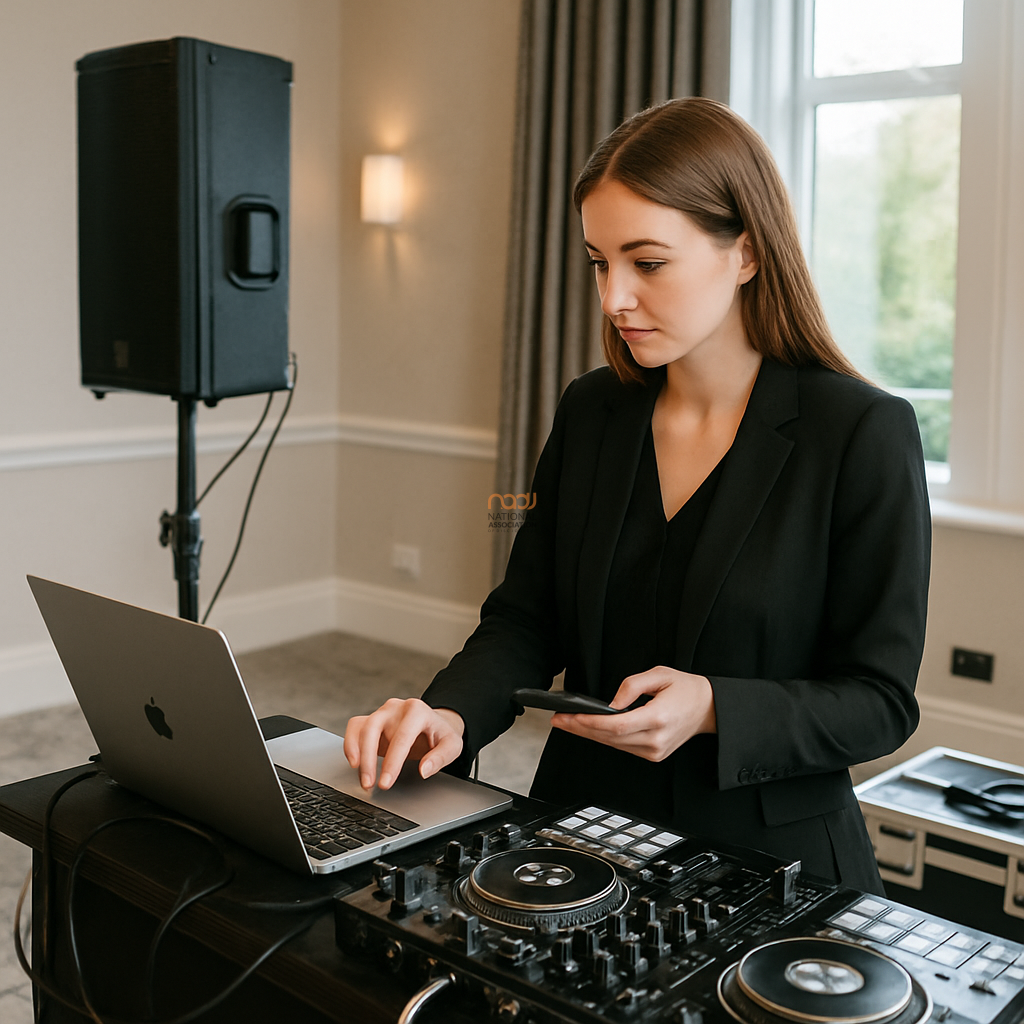
If you work weddings, parties, corporate events or club nights across the UK, the top DJ software for mobile DJs is the one that helps you work quickly, reliably and with confidence under pressure. The best choice is not always the one with the biggest feature list. It is the one that suits your library, your controller, your backup plan and the way you actually perform.
If you want a broader overview of the main platforms first, see NADJ’s cornerstone guide on DJ software options for working DJs. This article goes deeper into the practical questions that matter when you are loading in for a wedding in Birmingham, a school prom in Leeds, or a corporate function in London.
What mobile DJs should really look for
For mobile work, software needs to do more than play tracks. It should help you manage large libraries, prepare in advance, react quickly on the night and recover cleanly if something goes wrong. In practice, that means five things matter most: stability, music organisation, search speed, controller support and sensible backup options.
Stability comes first. If a programme crashes in the middle of a first dance or a packed dancefloor moment, the feature list will not matter. Look for software that is regularly updated, widely used and well supported by the hardware you own. However, always test updates before a live job. New versions can improve performance, but they can also alter mappings, audio settings or library behaviour.
Library management: the hidden time-saver
Many DJs focus on effects and visual features, yet mobile DJs often save more time through good library management. The best software for long-term use should let you tag music sensibly, create crates or playlists for different event types, and search by BPM, key, genre, energy or custom comments.
This is especially useful if you cover different parts of the UK and regularly switch between audiences. A set that works in Glasgow may not be the same as one that lands in Cardiff or Coventry. Good prep means you can build event folders such as wedding cocktail hour, school party clean edits, 80s singalongs or corporate background music without wasting time digging through your whole collection.
Some platforms also offer powerful analysis tools that help with beatgrids, keys and cue points. These can be useful, but they are not magic. Treat analysed data as a guide rather than a guarantee, especially with older tracks, live edits or music with irregular intros.
Workflow matters more than headline features
The ideal platform is the one that matches your working style. For example, if you like preparing every cue point in detail, choose software that makes editing fast and precise. If you prefer to mix on the fly, choose software that gives you quick access to folders, search and simple transport controls. If you run video, karaoke or lighting integration, check those features separately rather than assuming they are equally strong across all systems.
Mobile DJs often work under varied conditions: tight load-ins, limited time for soundcheck, inconsistent Wi-Fi, and guests who want requests right away. So the interface needs to be clear when you are tired, busy or working in low light. Shortcuts, visible waveforms and easy browsing can matter more than advanced performance pads if they help you keep the room moving.
Controller and laptop compatibility
Before committing to any software, check what it supports natively. Some platforms are more flexible with a wide range of controllers, while others are strongest when paired with specific hardware. Do not assume a controller will behave the same on every laptop or operating system. macOS and Windows can both work well, but each setup has its own preferences, driver requirements and update risks.
Always test your full chain: laptop, controller, power supply, audio interface and any external drive. If you use USB hubs, screens or extra accessories, test those too. A clean setup is usually the best setup, especially when you are travelling between venues in Manchester, Liverpool, Nottingham or Bristol.
Backup planning should be built in from day one
No software can promise that every performance will run perfectly. That is why a working backup plan matters. Ideally, your main library should be duplicated on a second drive, and your crucial playlists should be exported or mirrored in another format where practical. Keep install files, licence details and key settings safely stored.
If your preferred platform supports offline mode, use it. If it supports cloud sync, check what happens when the connection drops. If it supports exporting to another ecosystem, learn that process before you need it. The goal is to remain playable if a laptop fails, a drive becomes unreadable or a last-minute venue change alters your setup time.
How to compare the main options fairly
Rather than asking which software is “best” in the abstract, compare them against your own booking profile. Ask:
- Can I prepare and search my library quickly?
- Does it work smoothly with my current controller and audio setup?
- Can I perform without an internet connection?
- Is support available when I need it?
- Will the workflow suit weddings, parties and corporate jobs as well as club sets?
It is also worth testing any software against your real event routine. Load a sample wedding playlist, a requests folder and a backup emergency set. Then see how long it takes to build a usable running order. That exercise often reveals more than a feature comparison page ever will.
What NADJ DJs should keep in mind
At NADJ, the practical view is simple: software should reduce risk, not add complexity. The best choice is the one that helps you deliver a smooth, professional service to clients and venues. That sits well alongside strong business basics such as membership support, insurance awareness and professional development. If you are reviewing your wider business setup, it can also help to explore DJ public liability insurance guidance and membership tiers explained for a broader picture of professional support.
For members and industry contacts, the NADJ directory and gig listings can also be useful for building local visibility across England, Scotland, Wales and Northern Ireland. If you want to stay close to association news and resources, visit nadj.co.uk and the NADJ Hub.
Final thought
The top DJ software for mobile DJs is not simply the most popular name on the market. It is the platform that fits your workflow, protects your library, and gives you reliable control when the room is full and the pressure is on. Test properly, back up regularly and choose the system that helps you work faster and safer in real conditions.
AI transparency note
NADJ uses artificial intelligence as an editorial assistant. Articles produced through this publisher begin with a human-selected idea, source, brief or editorial direction, and AI may be used to research, structure, draft or improve the wording. AI does not set NADJ editorial policy or operate free-range: people acting for NADJ set the instructions and publishing framework, monitor the output and retain editorial responsibility.
Images used by NADJ may include stock photography or AI-generated visuals where appropriate. NADJ is volunteer-led and editorial time is limited; much of our available time is currently absorbed by governance and management, a substantial data audit and membership-system transfer, and planning 12 Tea & Test days across the UK. You can help strengthen member-led content by sending article ideas or completed submissions to hello@nadj.org.uk.





 Avtar Thethy
 Fabio Capozzi
 Alastair Craig
 Dave Mills