
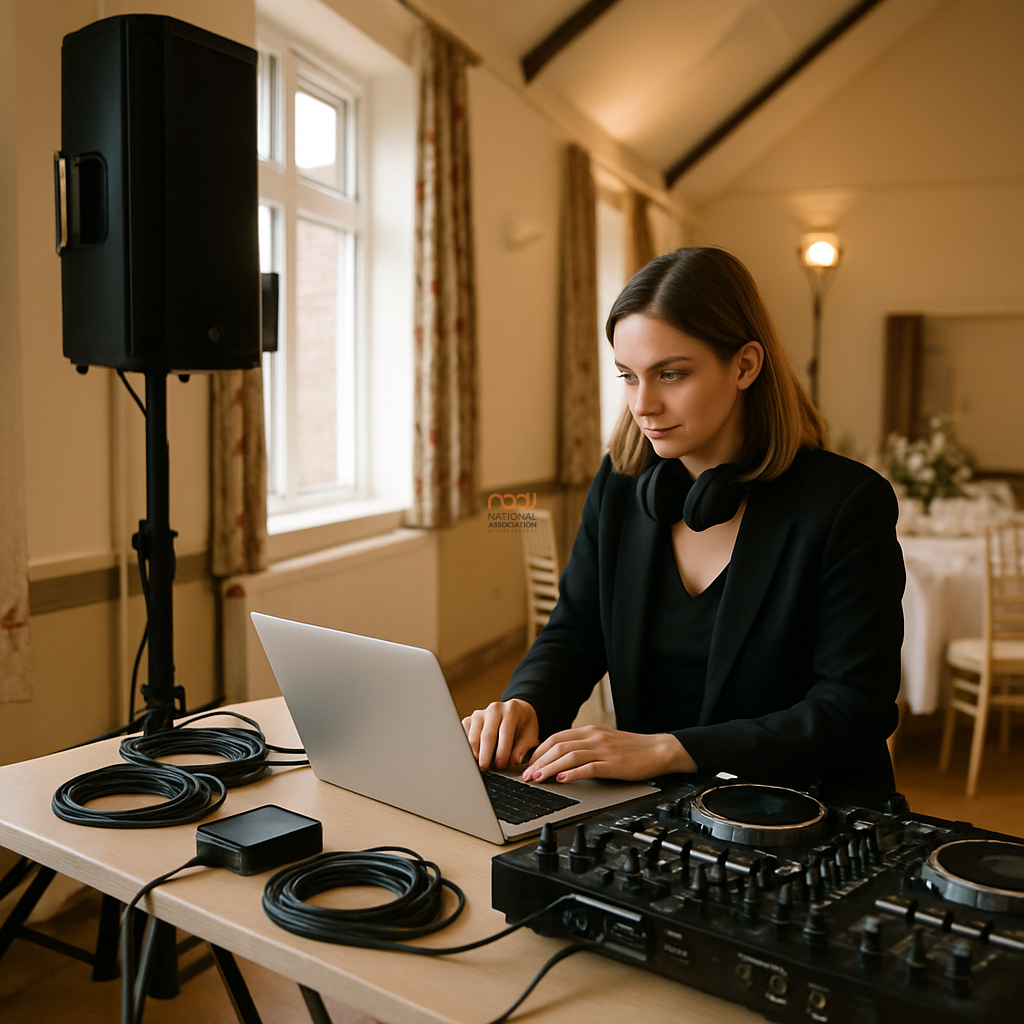
USB hub reliability for DJs is one of those practical details that only becomes obvious when something goes wrong. In the middle of a wedding first dance, a club warm-up, or a packed mobile booking, a cheap hub can turn a normal setup into a stressful one. The issue is simple: if your USB hub is unstable, underpowered, or badly built, it can interrupt the devices you rely on to perform.
For working DJs across the UK — whether you are playing in London, Manchester, Birmingham, Leeds, Bristol, Cardiff, Glasgow, Liverpool, Nottingham, Leicester, Coventry, or anywhere else in England, Scotland, Wales and Northern Ireland — reliability is more important than headline features. A hub does not need to be fancy. It needs to be consistent.
Why DJs use USB hubs in the first place
Many DJs now use a hub to connect controllers, audio interfaces, lighting interfaces, storage drives, MIDI devices, or even a laptop stand with extra ports. That is especially common where modern laptops offer fewer built-in connections. In a busy mobile or club workflow, a good hub can make a setup cleaner and faster.
However, the hub becomes part of your signal chain and your power chain. That means it is not just a convenience accessory. It is a working component that has to cope with movement, heat, repeated plugging in and out, and long hours of use.
What can go wrong with cheap USB hubs?
Cheap hubs often look fine on paper, but the problems tend to show up in real use. Common issues include intermittent drop-outs, devices not being recognised properly, unstable power delivery, and connectors that loosen quickly. Some hubs also struggle when several devices are connected at once, which is exactly what many DJs do.
For example, a controller may briefly disconnect and reconnect. A USB audio device may hiss or stop passing sound. A drive may fail to mount. A lighting interface may lag or freeze. None of these problems are guaranteed, and many cheap hubs will work for basic office use. But live DJ work places different demands on the hardware.
Another issue is build quality. Thin cables, weak housings, and poor internal soldering can all shorten the life of a hub. If your gear travels in and out of cases every weekend, that matters. A hub that survives a desk at home may not survive the realities of a Midlands wedding circuit or repeated load-ins across multiple venues.
Power, bandwidth and real-world loading
When assessing USB hub reliability for DJs, it helps to separate power from data. Some devices need only a connection. Others need enough power to remain stable. If a hub cannot supply adequate power to connected devices, you may see random faults that are hard to diagnose.
Bandwidth matters too. Multiple high-demand devices on one cheap hub can create bottlenecks, especially if you are also using external drives or interfaces. While many modern systems are efficient, there is still a limit. If your setup depends on several accessories, a well-made hub is worth considering.
That said, not every DJ needs the same specification. A simple backup drive and controller may place a modest load on a hub. A more complex performance rig with audio, lighting, and storage may require a more robust solution. The right choice depends on your actual workflow, not marketing language.
What to look for in a dependable hub
1. Stable power delivery
Choose a hub that is designed to handle the devices you connect. If a powered hub is appropriate for your setup, use a quality power supply and avoid unknown replacements.
2. Solid construction
Look for a rigid housing, strain relief on the cable, and ports that do not feel loose. A hub used in mobile DJ work should tolerate transport and regular connection changes.
3. Sensible port layout
Ports that are too tightly packed can cause practical problems, particularly with wider plugs or multiple short cables. Space matters when you are setting up quickly in a venue.
4. Compatibility with your equipment
Check that the hub is suitable for your laptop or system and that it plays nicely with your DJ software and hardware. If in doubt, test it in advance rather than relying on a last-minute purchase.
5. Backup planning
No matter how good your hub is, carry a spare where practical. Many DJs already travel with backup headphones, and a similar mindset applies to connectivity. If you are browsing our guide to professional DJ headphones, you will know that reliable kit is about consistency, not hype.
How to test a hub before a booking
Do not wait until the event to find out whether a hub is dependable. Test it at home with the same devices you use live. Run the full setup for a reasonable period, move the cables gently, and check whether any device disconnects or behaves strangely.
Also, test after transport. A hub that works on the desk may fail after being packed, bumped, or exposed to a different temperature. This matters for DJs working throughout the UK, particularly where setups are regularly moved between cars, venues, and backline positions.
If your business is growing, this kind of preparation supports professionalism in the same way as keeping your records in order, understanding your cover, and maintaining your equipment. NADJ members often look at the wider operational picture, not just the deck setup. You can read more about membership tiers if you are comparing the support available to you.
Good practice for live DJ reliability
USB hubs should be part of a broader reliability plan. Keep cables tidy. Avoid unnecessary adapters. Label your key leads. Update software sensibly, but not minutes before a gig. And if a hub shows signs of instability, replace it before it disrupts a performance.
For event work, it is also sensible to think beyond the technology itself. If you are booking through or listing on the NADJ Directory or reviewing gig listings, a reliable setup helps protect your reputation as much as your equipment. Clients generally do not care why a set stopped; they care that it did not.
A practical conclusion
Cheap USB hubs can seem like a smart saving, but in live DJ work the real cost may come later: lost time, troubleshooting stress, and in the worst case, a failed connection at the wrong moment. USB hub reliability for DJs is therefore not a luxury topic. It is part of everyday professional practice.
If you want to build a more dependable operation, focus on gear that is tested, appropriately powered, and physically robust. That approach fits the NADJ aim of supporting working DJs with useful, honest guidance. It also aligns with a broader business mindset — including the support and services available via NADJ Hub, NADJ, and the wider network across the UK DJ industry.
Where equipment use, venue rules, or insurance concerns are relevant, always check live details and current policy wording. For general guidance on cover, see our article on DJ public liability insurance.
AI transparency note
NADJ uses artificial intelligence as an editorial assistant. Articles produced through this publisher begin with a human-selected idea, source, brief or editorial direction, and AI may be used to research, structure, draft or improve the wording. AI does not set NADJ editorial policy or operate free-range: people acting for NADJ set the instructions and publishing framework, monitor the output and retain editorial responsibility.
Images used by NADJ may include stock photography or AI-generated visuals where appropriate. NADJ is volunteer-led and editorial time is limited; much of our available time is currently absorbed by governance and management, a substantial data audit and membership-system transfer, and planning 12 Tea & Test days across the UK. You can help strengthen member-led content by sending article ideas or completed submissions to hello@nadj.org.uk.





 Avtar Thethy
 Fabio Capozzi
 Alastair Craig
 Dave Mills