
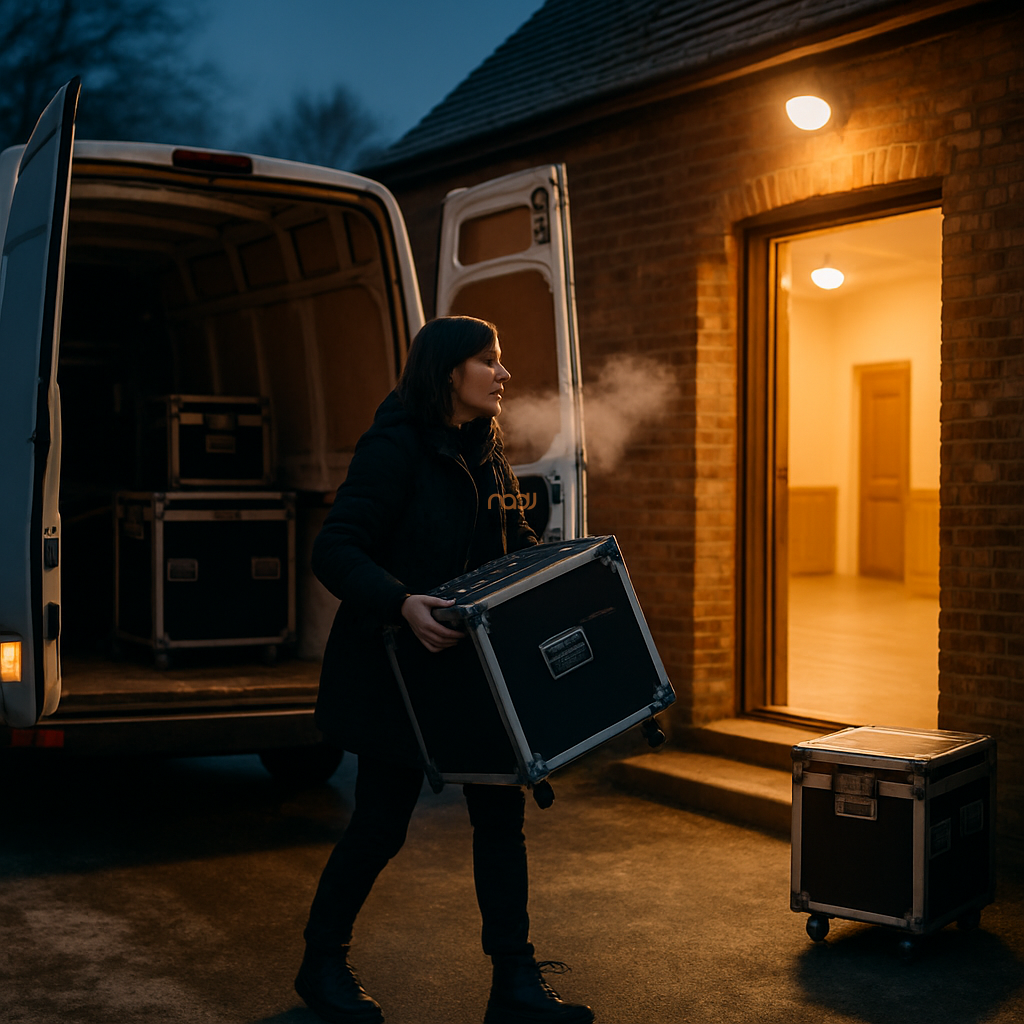
Condensation and DJ equipment are a poor combination, especially during the UK’s colder months when kit is moved from a van, garage, storage unit or home straight into a warm venue. For mobile DJs working across England, Scotland, Wales and Northern Ireland, this is not a rare edge case; it is part of the job. The good news is that with a sensible setup routine, you can greatly reduce the risk of moisture-related problems and protect your equipment.
At NADJ, we often remind members that good preparation is not about being over-cautious. It is about keeping a professional service running smoothly. If your gear arrives cold and the room is warm, moisture can form on surfaces and, in some cases, inside equipment. That does not automatically mean damage, but it does mean you need to slow down and let the kit acclimatise.
Why condensation happens
Condensation forms when a cold object is exposed to warmer, more humid air. The water vapour in the air turns into tiny droplets on the cooler surface. That is why your controller, mixer, laptop, lighting PSU or wireless microphone receiver can look damp after being brought in from outside on a cold evening.
This matters because moisture can affect connectors, faders, switches, screens and circuit boards. It can also create temporary issues such as crackling audio, unresponsive controls or warnings on laptops and other digital devices. In some cases, the problem clears once the equipment fully warms up. In others, it may lead to a fault that needs inspection.
The safest first step: give the gear time to acclimatise
The most important rule is simple: do not rush to power up cold equipment as soon as it reaches the venue. If the case or bag is visibly cold, allow time for the kit to reach room temperature before switching anything on.
How long should you wait? There is no single universal rule because it depends on the temperature difference, the size of the equipment and how it was transported. As a general working practice, many DJs allow at least 30 to 60 minutes for smaller items, and longer if the gear has been exposed to very low temperatures. In very cold conditions, or where equipment has been stored in a vehicle overnight, a longer period may be sensible.
It is best to check manufacturer guidance where available, especially for laptops, audio interfaces, wireless systems and powered speakers. If in doubt, be cautious. A short delay is far cheaper than repairing avoidable moisture damage.
Practical steps for mobile DJs
1. Keep equipment sealed until you are indoors
If possible, leave flight cases, padded bags and lids closed while moving from the vehicle into the venue. This helps slow the sudden change in temperature and reduces the chance of warm air reaching the cold gear too quickly.
2. Avoid placing cold kit near heat sources
Do not put cold equipment directly by radiators, fan heaters or hot air vents in an attempt to dry it out faster. Rapid heating can create more condensation and may also stress plastics, adhesives and display screens.
3. Inspect, but do not rush
Once the kit is indoors, check for obvious signs of moisture on cases, cables and housings. If surfaces feel damp, leave the equipment closed or loosely covered while it acclimatises naturally. If water has clearly entered a case or bag, dry the outer surfaces first and postpone use until you are satisfied everything is dry.
4. Be careful with power
Never assume that a device is safe to power on simply because the outside looks dry. Moisture can still be present internally. This is especially relevant for mains-powered equipment, laptops, powered speakers and complex lighting control hardware. If you are uncertain, wait longer.
5. Watch your cables and connectors
Connectors are often the first place where condensation becomes obvious. Before patching in, check XLRs, IECs, USB ports, headphone sockets and RCA connectors. If you can see droplets, wipe gently with a dry, lint-free cloth and allow more time before making electrical connections.
What about laptops, software and digital decks?
Modern DJ setups are increasingly software-led, so condensation advice now applies to laptops, tablets and digital controllers as much as to traditional audio equipment. A cold laptop taken into a warm function room can develop internal moisture around ports, keyboards and cooling vents. That can affect stability just when you need reliability most.
For this reason, avoid opening a cold laptop immediately. Keep it in its case until the unit has had time to adjust. If you rely on USB hubs, interfaces or external drives, let those acclimatise too. In busy venues in London, Birmingham, Manchester, Leeds, Bristol, Cardiff, Glasgow, Liverpool, Nottingham, Leicester and Coventry, this kind of caution can save time later.
Planning for winter jobs and outdoor transfers
Condensation risk is highest when there is a sharp temperature difference, such as loading in from a freezing car park into a heated hotel suite, village hall or wedding barn. It can also be a problem after outdoor winter weddings, Christmas parties or New Year events where kit has been stored in a cold vehicle between jobs.
Good load-in planning helps. If you can, arrive with enough time for the equipment to settle before your soundcheck. Keep the van as dry as possible. Use proper cases and covers. Where practical, avoid leaving kit in an unheated vehicle for long periods before a show. These are small habits, but they make a real difference across the UK, from the Midlands to the North West and from Wales to Scotland.
When to seek support or inspection
If equipment has been heavily exposed to moisture, misted internally, or behaves erratically after warming up, do not keep testing it repeatedly. Switch it off, disconnect it safely and arrange a proper inspection by a competent technician if needed. NADJ cannot diagnose equipment faults remotely, and any repair decision should be based on the manufacturer’s advice and the condition of the specific item.
It is also sensible to keep your broader business protections in order. For example, members often review their public liability arrangements alongside their operating practices, and NADJ has guidance on DJ public liability insurance requirements and considerations. Likewise, if you are looking to strengthen your operation more generally, NADJ membership information is available at membership tiers explained, and our wider services are listed through NADJ Media Ltd.
A simple rule worth remembering
If your DJ equipment is cold, do not treat it as ready just because you have arrived at the venue. Let it settle, check it carefully and power up only when you are confident that moisture is no longer a risk. That small pause can protect your kit, your show and your reputation.
For working DJs across the UK, professionalism is often about the details that audiences never see. Condensation control is one of them.
If you are developing your business, the NADJ network can also help you stay connected through the NADJ directory, NADJ Hub and current gig listings. And if you are considering upgrading your setup, you may also find our feature on the top 10 DJ mixers for mobile wedding DJs useful when reviewing your next investment.
AI transparency note
NADJ uses artificial intelligence as an editorial assistant. Articles produced through this publisher begin with a human-selected idea, source, brief or editorial direction, and AI may be used to research, structure, draft or improve the wording. AI does not set NADJ editorial policy or operate free-range: people acting for NADJ set the instructions and publishing framework, monitor the output and retain editorial responsibility.
Images used by NADJ may include stock photography or AI-generated visuals where appropriate. NADJ is volunteer-led and editorial time is limited; much of our available time is currently absorbed by governance and management, a substantial data audit and membership-system transfer, and planning 12 Tea & Test days across the UK. You can help strengthen member-led content by sending article ideas or completed submissions to hello@nadj.org.uk.







 Avtar Thethy
 Fabio Capozzi
 Alastair Craig
 Dave Mills